
 WATERPROOFING
 CONCRETE
 EPOXY PAINT
 ANTI-CORROSION PAINT
 ANTI-STATIC EPOXY PAINT
 STRUCTURAL BONDING
 CHEMICAL ANCHORS
 CONCRETE REPAIR
 REFURBISHMENT
 CEMENT TILE ADHESIVE
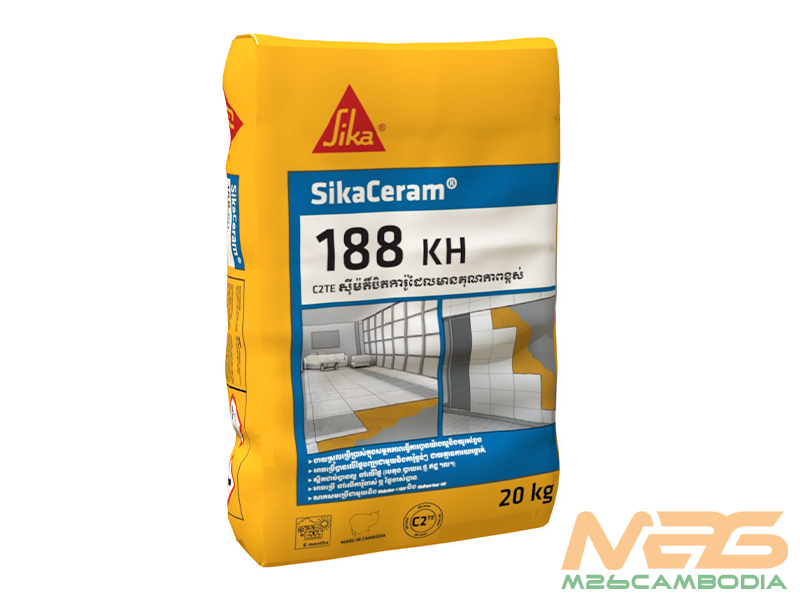
SikaCeram-188 KH
SikaCeram-188 KH, a high-performance tile adhesive. Bond ceramic, porcelain, and more with ease and precision.
| BRAND | |
|---|---|
| PACKAGING | 20 kg / bag |
SIKACERAM-188 KH – C2TE HIGH PERFORMANCE CEMENTITIOUS TILE ADHESIVE
DESCRIPTION
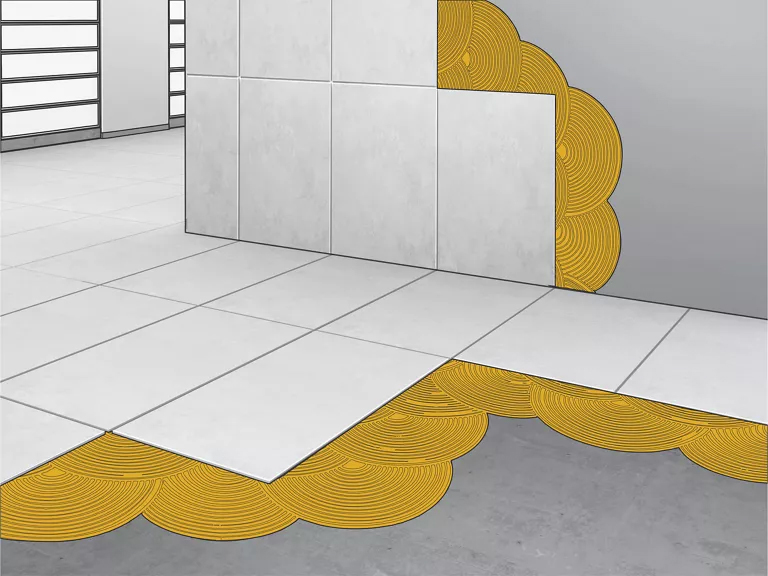
SikaCeram-188 KH is a game-changer in the world of tile adhesives. It’s specifically designed for bonding ceramic and porcelain tiles, including mosaics. This adhesive can be used on floors and walls, both indoors and outdoors.
APPLICATION
SikaCeram-188 KH excels where traditional tile adhesives fall short. Its exceptional adhesion makes it perfect for situations where other adhesives might not be suitable due to tile type, substrate, or specific job conditions. This adhesive works wonders on various tile types, including ceramic, porcelain, and even low and high absorption tiles. It can bond to a range of substrates, such as concrete, mortar, bricks, existing tiled surfaces, and even large-format tiles.
ADVANTAGES
Here are some compelling reasons to choose SikaCeram-188 KH:
- Exceptional Workability: SikaCeram-188 KH is incredibly easy to work with, thanks to its thixotropic consistency. It allows for precise application, even on vertical surfaces, without sagging or tile slippage, even with heavy tiles.
- Superb Adhesion: This adhesive forms a strong bond with most common substrates, including concrete, cementitious mortar, stone, and bricks. It also boasts excellent adhesion to existing tiles.
- Flexible Usage: SikaCeram-188 KH is versatile; it can be applied on various surfaces, even on interior painted walls if the paint coating is in good condition. It’s also compatible with other Sika products like Sikalastic-1 K, SikaTop Seal-107, and SikaTop Seal-109.

PRODUCT INFORMATION
- Composition: Cementitious mortar
- Packaging: 20 kg bag
- Appearance/Color: Grey powder
- Shelf Life: 6 months from the production date
- Storage Conditions: Store in dry conditions, in undamaged, unopened, and original sealed packaging, and it’s not sensitive to frost.
- Density: Fresh mortar density is approximately 1.70 kg/l (at +25°C)
- Maximum Grain Size (Dmax): 0.4 mm
TECHNICAL SPECIFICATIONS
Here are some critical technical specifications:
| Property | Standard Condition | Heat Ageing | Water Immersion | Slip Resistance |
|---|---|---|---|---|
| Tensile Adhesion Strength (N/mm²) | ≥ 1.0 | ≥ 1.0 | ≥ 1.0 | ≤ 0.5 mm (EN 1308:1999) |
| Open Time | ≥ 0.5 N/mm² at 30 minutes (at 23°C) | – | – | – |
CONSTRUCTION INSTRUCTIONS
Constructing computer-generated imagery (CGI) is an art form that demands precision and creativity. Whether you’re crafting a visual masterpiece for film, video games, architectural visualization, or any other medium, it’s essential to have a well-defined process to ensure your vision comes to life exactly as intended. In this guide, we’ll break down detailed construction instructions for CGI, from initial concept to final render.

1. Pre-Production Planning
- Conceptualize the Vision: Start by defining the core concept of your CGI project. What is the story or message you want to convey? Understanding the narrative is crucial.
- Storyboard Creation: Develop a storyboard to sketch out the sequence of scenes. This will help you visualize the flow of your CGI and make necessary adjustments early on.
- Budget and Timeline: Establish a budget and project timeline. Knowing your limitations in terms of resources and time will guide your decisions throughout the process.
2. Asset Creation
- 3D Modeling: Begin by creating 3D models of objects, characters, and environments that will appear in your CGI. Pay close attention to details to ensure realism.
- Texture Mapping: Apply textures to your 3D models. This step adds depth, color, and texture to your assets, making them look more authentic.
- Rigging: If your CGI involves characters or objects with movements, rigging is essential. This process enables you to control how these elements move during animation.
3. Scene Setup
- Environment and Lighting: Design the virtual environment for your CGI. Consider the lighting conditions and how they impact the mood and atmosphere of your scene.
- Camera Placement: Position the virtual camera(s) to capture the scenes from the desired angles. This step is crucial for setting up your shots.
- Virtual Set Dressing: Populate your scene with objects and elements that bring it to life. Think about what makes sense in the context of your CGI.
4. Animation
- Keyframe Animation: Animate objects, characters, or camera movements using keyframes. This method allows you to define the main points in your animation.
- Character Animation: If your CGI includes characters, create animations for their movements and expressions. Pay attention to detail to make them lifelike.
- Physics Simulation: If your CGI involves elements like fluid dynamics, cloth, or particles, set up physics simulations to ensure realistic interactions.
5. Materials and Shading
- Shader Development: Fine-tune materials and shaders for objects in your scene. This step is essential for creating realistic surfaces with the correct reflective and refractive properties.
- Lighting Adjustments: Continually adjust the lighting to maintain the desired look and feel of your CGI. Lighting plays a significant role in the final image.
6. Rendering
- Resolution and Quality: Choose the appropriate resolution and quality settings for rendering. This affects the final output’s visual clarity and realism.
- Render Layers: Utilize render layers to separate different elements of your CGI, allowing for easier post-processing and compositing.
7. Post-Production
- Compositing: Combine rendered layers and apply post-processing effects, such as color correction, depth of field, and motion blur.
- Sound Design: If your CGI project includes audio, synchronize it with the visuals for a seamless experience.
8. Quality Assurance
- Render Testing: Always conduct test renders to spot any issues before the final rendering process. This can save time and resources.
9. Final Render and Output
- Render the CGI: Initiate the final render, ensuring all elements are correctly composed.
- File Output: Save the CGI in the appropriate file format for its intended use, whether it’s for film, digital media, or architectural visualization.
By following these comprehensive CGI construction instructions, you’ll be well-equipped to bring your vision to life, whether it’s a breathtaking cinematic scene, a compelling video game world, or a stunning architectural visualization. With dedication, attention to detail, and a dash of creativity, your CGI project will captivate audiences and leave a lasting impression.

Reviews
There are no reviews yet.